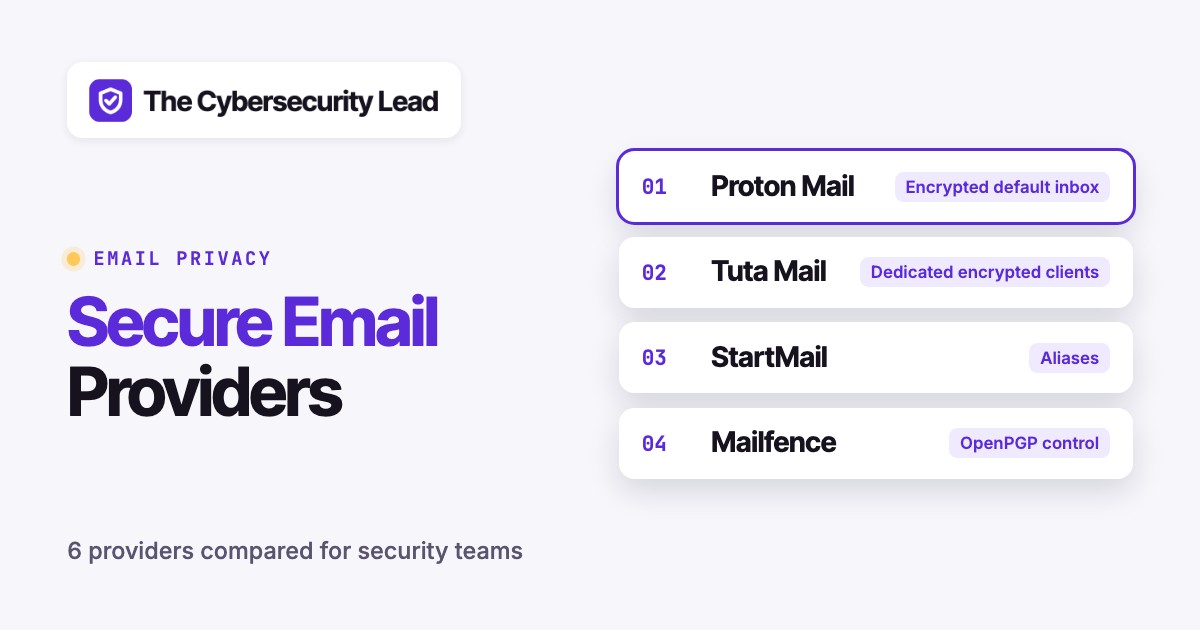
The best secure email providers are Proton Mail for an encrypted default inbox, Tuta for dedicated encrypted clients, StartMail for aliases, Mailfence for OpenPGP control, mailbox.org for a private office and Runbox for portable hosting. These services aren't interchangeable. The distinction that matters is whether sensitive messages stay encrypted all the way to the recipient or whether the service mainly offers private hosting and standard mail protocols.
Secure email reduces certain privacy and interception risks, but it doesn't protect a compromised laptop or prevent recipients from forwarding a decrypted message. A small business should test actual communication workflows, recovery and domain migration before committing. The right product is clearly the one whose security model your team can operate without constant exceptions.
Which secure email provider should you choose?
The best secure email provider depends on external recipients, client compatibility and your ability to manage encryption keys. These picks separate automatic encryption, deliberate PGP workflows and standards-based hosting so the buying decision doesn't depend on a vague security label.
 Encrypted default inboxProton MailStrong default encryption, but subject lines and outside recipients fall outside it.
 Dedicated encrypted clientsTuta MailEncrypts subject lines too, in exchange for working only in Tuta's own apps.
 Aliases and familiar mail clientsStartMailUnlimited aliases and IMAP, with encryption as an option you must switch on.
 OpenPGP controlMailfenceFull key control for a trained team, with key handling you must document.
 Private office suitemailbox.orgStandard protocols and an office bundle, with Guard PGP handled on the server.
 Portable hostingRunboxStandard-protocol hosting that leaves message encryption to your own PGP setup.
Secure email providers compared
Secure email providers differ most in encryption boundaries, mail-client compatibility and domain administration. Compare the primary job and known price before reading the individual reviews, then verify the exact checkout terms for your country.
| Tool | Starting price | What it is |
|---|---|---|
| Proton Mail | From $3.99/month (Mail Plus, billed annually) | Encrypted default inbox with Swiss jurisdiction; subject lines stay unencrypted. |
| Tuta Mail | Free plan; business from €6/user/month (euro, paid yearly) | Encrypts subject lines and metadata; works inside Tuta's own apps. |
| StartMail | $4.99/month Personal, billed annually (no free plan) | Unlimited aliases, IMAP/SMTP access and optional OpenPGP. |
| Mailfence | Free plan; Entry €3.50/month (euro, monthly) | Belgian service with browser-side OpenPGP key control, plus calendar and documents. |
| mailbox.org | €1/month Light, €4 Standard, €12 Premium (euro) | German private office suite; Guard PGP runs server-side, not end to end. |
| Runbox | €19.95/year Micro (euro, billed annually) | Norwegian IMAP/POP/SMTP hosting without default end-to-end encryption. |
 The Cybersecurity Lead Our product | $5/month | The Cybersecurity Lead checks the public DNS of up to 10 domains daily (SPF, DMARC, MX, NS, CAA), confirms every change with a second resolver and shows it as a readable diff. |
Vendor information checked October 27, 2026. Euro prices are shown in euro and never converted.
Detailed secure email provider reviews
The providers below cover different operating models, from encrypted storage to standards-based hosting. Each review explains how the workflow operates, what to test before migration and who should skip the service.
Proton Mail: encrypted default inbox
Proton Mail suits people who want encryption without a PGP routine, and its limits show up at the recipient and the mail client.
Proton Mail
Encrypted default inbox with Swiss jurisdiction; subject lines stay unencrypted.
Proton Mail, an encrypted email provider, is the clearest starting point for people who want private mail without learning PGP before sending their first message. Proton-to-Proton messages use end-to-end encryption, and messages received from outside providers are stored with zero-access encryption. The distinction matters: a routine message to a Gmail recipient isn't automatically end-to-end encrypted at that destination. Use password-protected mail or PGP for confidential external exchanges, rather than assuming the sender's private inbox also protects the recipient.
- you want encrypted storage by default and a familiar inbox
- you need aliases and a custom domain on a low-cost plan
- your workflow needs unrestricted third-party mail access or automatic decryption by external systems
- you need encrypted subject lines

Workflow, pricing and migration details
A small team's migration begins with identity and domain planning. Proton requires a paid plan for a custom domain. Create intended addresses before changing MX records, then verify SPF, DKIM and DMARC so the new host doesn't accidentally interrupt delivery or weaken spoofing defenses. Assign an owner to check inbound replies from outside mail systems and a separate owner to verify outgoing authentication. An encrypted inbox isn't useful if customers can't reach it after a rushed cutover.
Proton Mail Bridge is a desktop app that runs a local IMAP and SMTP server (the screenshot above shows localhost ports and a Configure email client button) so Outlook, Thunderbird or Apple Mail can connect while Bridge handles the encryption on your machine. It isn't a universal mobile mail gateway, and you should confirm which plan includes it before you plan around it. If your organization relies on a ticketing system that reads a mailbox directly, don't assume Bridge solves that server-side integration. Test the actual integration and decide whether a separate shared support address is necessary. For personal mail, the standard apps may be simpler than maintaining Bridge.
Proton's US pricing page lists a Free plan with 1 GB, Mail Plus at $3.99 per month billed annually ($47.88 per year) with 15 GB and one custom domain, and Unlimited at $9.99 per month billed annually with 500 GB and three domains. For teams, the business page lists Mail Essentials at $6.99 per user per month billed yearly with 15 GB per user and three domains, Workspace Standard at $12.99 and Workspace Premium at $19.99. One limit matters for a security lead: Proton's own documentation says subject lines aren't end-to-end encrypted, although message bodies and attachments are.
Choose Proton when your main goal is encrypted storage by default with a relatively familiar inbox. Skip it when your workflow depends on unrestricted third-party mail access, legacy compliance archiving or automatic decryption by external systems. A pilot should include an ordinary customer exchange and a protected external message. If both work without confusing the recipient, the security model may fit your team.
- Starting price
- From $3.99/month (Mail Plus, billed annually)
- Primary fit
- Encrypted default inbox
- Price reference
- From $3.99/month (Mail Plus, billed annually)
- Migration test
- External reply, DNS and recovery
Tuta Mail: dedicated encrypted clients
Tuta Mail encrypts more than most, including subject lines, and the price is that you live inside Tuta's own apps.
Tuta Mail
Encrypts subject lines and metadata; works inside Tuta's own apps.
Tuta Mail, a privacy-focused mail and calendar service, makes a different trade-off from providers built around conventional email clients. Tuta is built around its own web, desktop and mobile apps, and independent reviewers consistently report that it offers no IMAP, POP3 or SMTP access for third-party mail applications. Confirm that point with Tuta before you rely on it. Its encryption reaches further than most: Tuta's encrypted-email page says it encrypts email headers and metadata such as subject lines, and that its clients are open source. That decision can simplify an encrypted workflow, but it's a serious constraint for teams with Outlook automations, legacy archives or desktop applications that expect ordinary IMAP access.
- you want subject lines and metadata encrypted too
- your team can work entirely in one vendor's web, desktop and mobile apps
- a ticketing system, archive tool or desktop app has to read the mailbox over IMAP
- your team depends on Outlook automations or legacy archives
Workflow, pricing and migration details
Tuta's free plan is an accessible way to assess the interface and encrypted correspondence. Paid personal tiers add storage, custom domains and extra aliases: Revolutionary lists 20 GB and three custom domains, Legend 500 GB and ten. For businesses, a Tuta blog post lists Essential at €6, Advanced at €8 and Unlimited at €12 per user per month paid yearly, with 50 GB, 500 GB and 1,000 GB per user. Those are euro prices, so treat them as a guide, confirm the current checkout before you buy and don't convert them into an assumed dollar list price.
Run a pilot with a real external recipient outside your company. Send a confidential message, document how the recipient opens it and see whether they can reply without creating a new account. Repeat with a recipient who's lost their access information. Then import a representative archive and try to find an older attachment. A system can offer strong cryptography but still be a poor operational fit when staff can't locate the message they need during a customer incident.
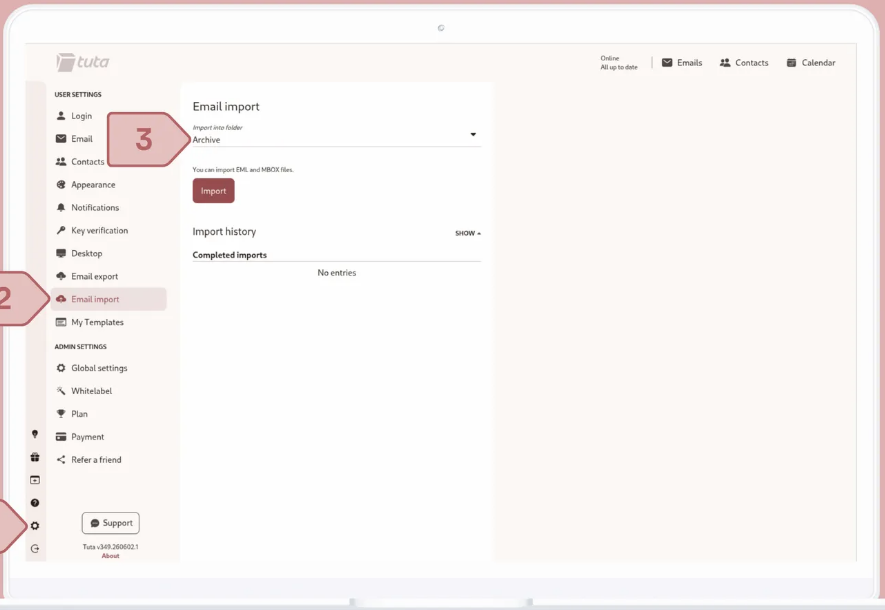
Tuta's settings include an email import and export function for EML and MBOX files, as the screenshot above shows. Confirm that it handles your archive size before migrating. Test account recovery and employee departure too. An encrypted mailbox doesn't solve the problem of a former employee retaining access to information they already downloaded, nor does it create a retention policy by itself. Make these limitations part of the buyer's evaluation rather than treating them as unexpected surprises after purchase.
Choose Tuta when you prefer a consistent encrypted environment and can adopt its applications. Skip it if a critical workflow reads mail through IMAP or if your organization can't adapt its archive export process. The decision is less about which service advertises stronger privacy and more about whether your team can send, retrieve and recover sensitive correspondence without workarounds.
- Starting price
- Free plan; business from €6/user/month (euro, paid yearly)
- Primary fit
- Dedicated encrypted clients
- Price reference
- Free plan; business from €6/user/month (euro, paid yearly)
- Migration test
- External reply, DNS and recovery
StartMail: aliases and familiar mail clients
StartMail fits teams that want disposable aliases and their existing mail apps, with encryption as an option rather than the default.
StartMail
Unlimited aliases, IMAP/SMTP access and optional OpenPGP.
StartMail, a private email provider centered on aliases and optional PGP, is useful when you want to reduce address exposure without replacing every familiar mail client. Unlimited aliases let you give a separate address to each retailer, newsletter or software vendor. When an alias starts attracting spam, disable it without changing the address used by your family or customers. Aliases reduce exposure of your main address, but they don't magically encrypt messages sent by unrelated mail systems.
- you want a separate alias per vendor or newsletter
- your staff keep Thunderbird or Apple Mail
- you need legal holds, data loss prevention or policy enforcement
- you want a permanent free plan, since StartMail offers a 7-day trial with payment details instead

Workflow, pricing and migration details
The official US pricing page lists Personal at $4.99 per month when billed annually, with 20 GB of storage and one custom domain. Business is listed at $6.99 per month when billed annually, with 30 GB and unlimited domains. There's no free plan, only a 7-day trial that asks for payment details. Those are the vendor's visible prices, not a claim about the final tax-inclusive checkout. If you're provisioning colleagues, check the group subscription discount and confirm whether a shared alias meets your needs. A shared alias isn't the same as a helpdesk inbox with assignment, audit history and escalation.
StartMail's features page lists full IMAP and SMTP access, so users can keep Thunderbird, Apple Mail or other compatible clients, and the compose window carries Sign and Encrypt switches, as the screenshot shows. It also offers password-protected messages for recipients who don't use encryption. That split's useful in practice: routine mail can use the normal client, while confidential documents follow a deliberately protected workflow. Write a short internal rule describing which messages require protection. Without that rule, busy employees will use whichever compose button is easiest.
Test the alias lifecycle before you move a production domain, because it's where surprises hide. Create an address for an external service, send and receive replies, then disable it. Confirm whether the reply identity reveals your main address. Next, test attachments and signatures in your preferred desktop application. For a small business, the more important test may be ownership: decide how a shared alias moves to another employee after a departure. Personal privacy features can create operational dependency if nobody documents who manages them.
Choose StartMail when disposable addresses and ordinary client compatibility matter more than a fully integrated encrypted suite. Skip it when you require centralized legal holds, mailbox-wide data loss prevention or automated policy enforcement. StartMail can protect an individual's email identity, but it isn't a replacement for an enterprise mail security gateway or an employee access review process.
- Starting price
- $4.99/month Personal, billed annually (no free plan)
- Primary fit
- Aliases and familiar mail clients
- Price reference
- $4.99/month Personal billed annually
- Migration test
- External reply, DNS and recovery
Mailfence: OpenPGP with user-held keys
Mailfence gives you the most hands-on control over OpenPGP keys, which helps a trained team and burdens an untrained one.
Mailfence
Belgian service with browser-side OpenPGP key control, plus calendar and documents.
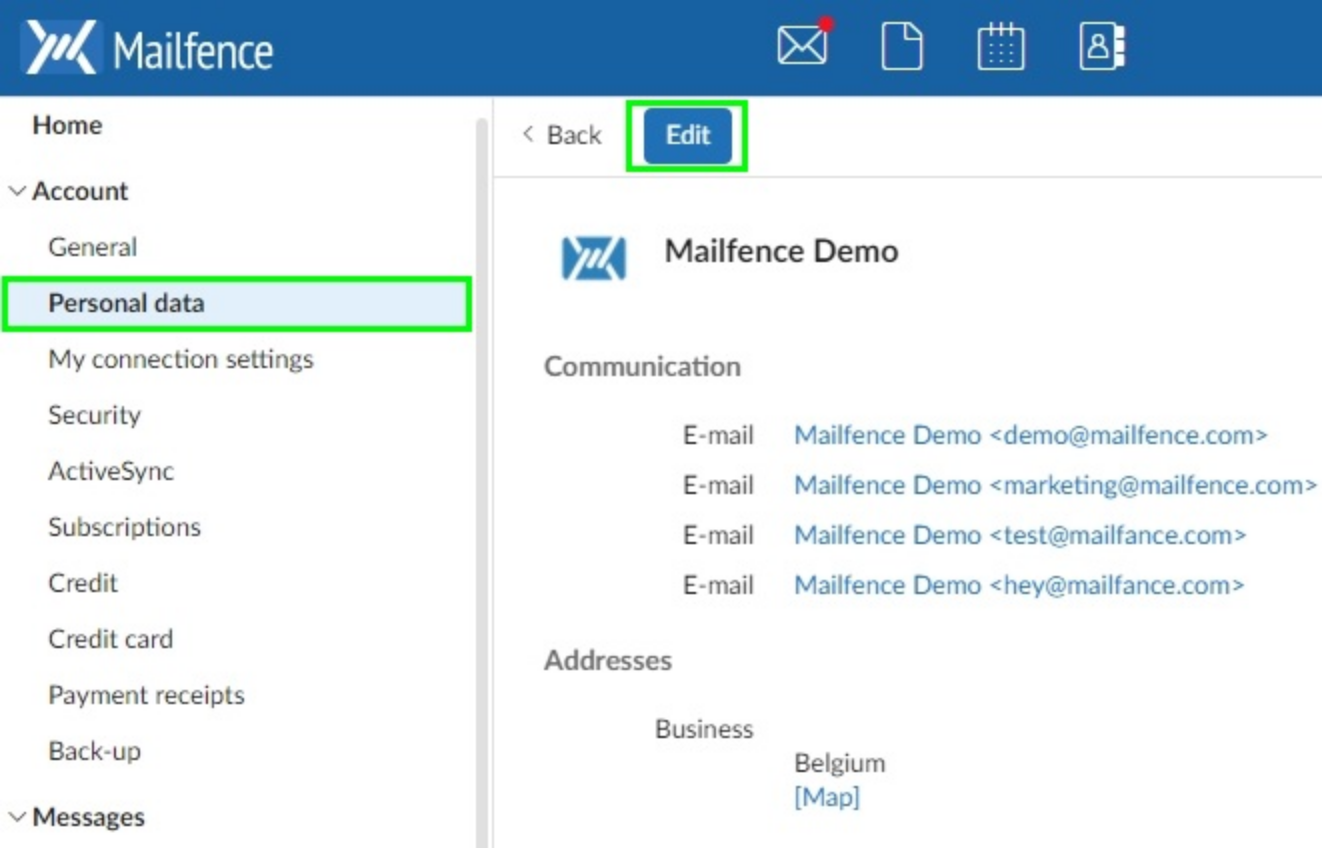
Mailfence, a Belgian secure email and collaboration service, is attractive to people who want direct control over OpenPGP keys. Its browser keystore can create or import keys, and its message tools support digital signatures. That makes it different from a service that hides every encryption decision. A security lead can explain who owns the private key, how a correspondent's key is verified and what a signature means, instead of treating a padlock icon as proof of everything.
- your team can verify keys and treat OpenPGP as a procedure
- you want mail, calendar and documents in one Belgian service
- staff won't follow a key-verification routine
- you need IMAP on a free plan
Workflow, pricing and migration details
Mailfence also includes calendar, contacts and document tools. Those features can reduce the number of separate services a small organization manages, but they don't eliminate the need for access rules and backups. The Free plan gives 1 GB in total and no IMAP, SMTP or POP access. According to Mailfence's own blog, Base costs €2.50 per month with 11 GB and 10 aliases, and Entry costs €3.50 per month with 40 GB, a custom domain, 50 aliases and POP, IMAP, SMTP and ActiveSync. The higher Pro and Ultra tiers are listed inconsistently across Mailfence's pages, so this comparison doesn't quote them. Confirm checkout currency and the tier you need before a migration.
The core workflow is key exchange. Your team needs a reliable way to obtain a recipient's public key, verify it through a separate channel and back up its own private key. Mailfence can handle key creation in the browser, but human verification still matters. For recipients who don't manage PGP, the service offers password-protected messages. Share that password through another channel, not inside the same unprotected thread. A procedure that exists only in the security lead's head won't scale.
Run a pilot covering a signed message, an encrypted message to a PGP user and a password-protected message to someone using ordinary webmail. Test the export path for your keys and messages. Then ask whether a replacement administrator could restore access if the current owner were unavailable.
Choose Mailfence when interoperability and deliberate key management are advantages rather than chores. Skip it if staff won't follow a key-verification procedure or if your organization expects a turnkey enterprise policy engine. Its strength is giving users control over protected correspondence, but that control creates responsibilities that must be documented and tested.
- Starting price
- Free plan; Entry €3.50/month (euro, monthly)
- Primary fit
- Interoperable OpenPGP
- Price reference
- Free plan; Entry €3.50/month (euro, monthly)
- Migration test
- External reply, DNS and recovery
mailbox.org: private office with standard clients
mailbox.org is a standards-based private office suite where encryption is a feature you switch on and understand, not an invisible default.
mailbox.org
German private office suite; Guard PGP runs server-side, not end to end.
mailbox.org, a German private email and office suite, is a good option when you need standard mail protocols alongside calendars and document tools. Its private plans are listed at €1 per month for Light (no custom domain), €4 for Standard and €12 for Premium, and mailbox.org's private page says custom domains work on Standard and Premium. Those are vendor euro prices, not converted US prices. If your accounting team needs a USD invoice, confirm currency and tax treatment before buying. A cheap mailbox can become expensive if you still need separate archiving and administration software.
- you want a low-cost private office suite with a German data location
- you need custom domains from the €4 plan
- your policy demands client-side encryption for every protected message
- you can't manage Guard passwords and key backups reliably

Workflow, pricing and migration details
The important security distinction is mailbox Guard. Guard supports OpenPGP and can create or import keys in the web interface. The vendor's own documentation is direct about the boundary: Guard is a server-side PGP implementation, and because encryption and decryption happen on the server, it doesn't provide true end-to-end encryption. It stays compatible with the OpenPGP standard, and you can download keys to use them in a local mail client. A buyer should record which messages need which protection model.
A useful pilot checks ordinary IMAP clients, calendar synchronization and your custom domain before testing encryption. Then send a protected message to a contact using a conventional mailbox and document what the contact must do to read and reply. Verify the handling of private keys and passwords rather than simply noting that the interface has an encryption menu. Guard warns that losing a relevant key or password can mean permanent loss of access to encrypted mail. That's a real continuity risk for a small team.
mailbox.org may suit a professional office that values open standards and is comfortable configuring protection when necessary. It isn't ideal for staff who expect every email to be automatically end-to-end encrypted without an explicit action. The vendor also states BSI C5 and ISO 27001 certification and German data storage, which matter for procurement questionnaires.
Choose mailbox.org for standards-friendly client access and an office bundle with privacy as a core value. Skip it if your security policy requires client-side encryption for every protected message and your team can't distinguish that from server-side Guard handling. Match the technical protection to the actual message categories your company sends, not to the most attractive feature label.
- Starting price
- €1/month Light, €4 Standard, €12 Premium (euro)
- Primary fit
- Private office with standard clients
- Price reference
- €1/month Light, €4 Standard, €12 Premium (euro)
- Migration test
- External reply, DNS and recovery
Runbox: portable private mail hosting
Runbox says outright that it doesn't offer end-to-end encryption by default, which makes it a hosting choice rather than an encryption choice.
Runbox
Norwegian IMAP/POP/SMTP hosting without default end-to-end encryption.
Runbox, a Norwegian subscription email hosting provider, is a useful counterpoint to services with built-in end-to-end encryption. It emphasizes privacy, conventional mail protocols and domain portability. Runbox explicitly states that it doesn't offer account-level or end-to-end encryption by default. Users can add PGP through a compatible client or browser extension instead. That limitation really matters: transport encryption and encrypted disks protect different stages of a message than encryption performed for a recipient before the message leaves your device.
- you want standard IMAP, POP and SMTP hosting with a custom domain on every plan
- you can add PGP in your own client
- you need end-to-end encryption by default
- you need centrally managed employee lifecycle controls
Workflow, pricing and migration details
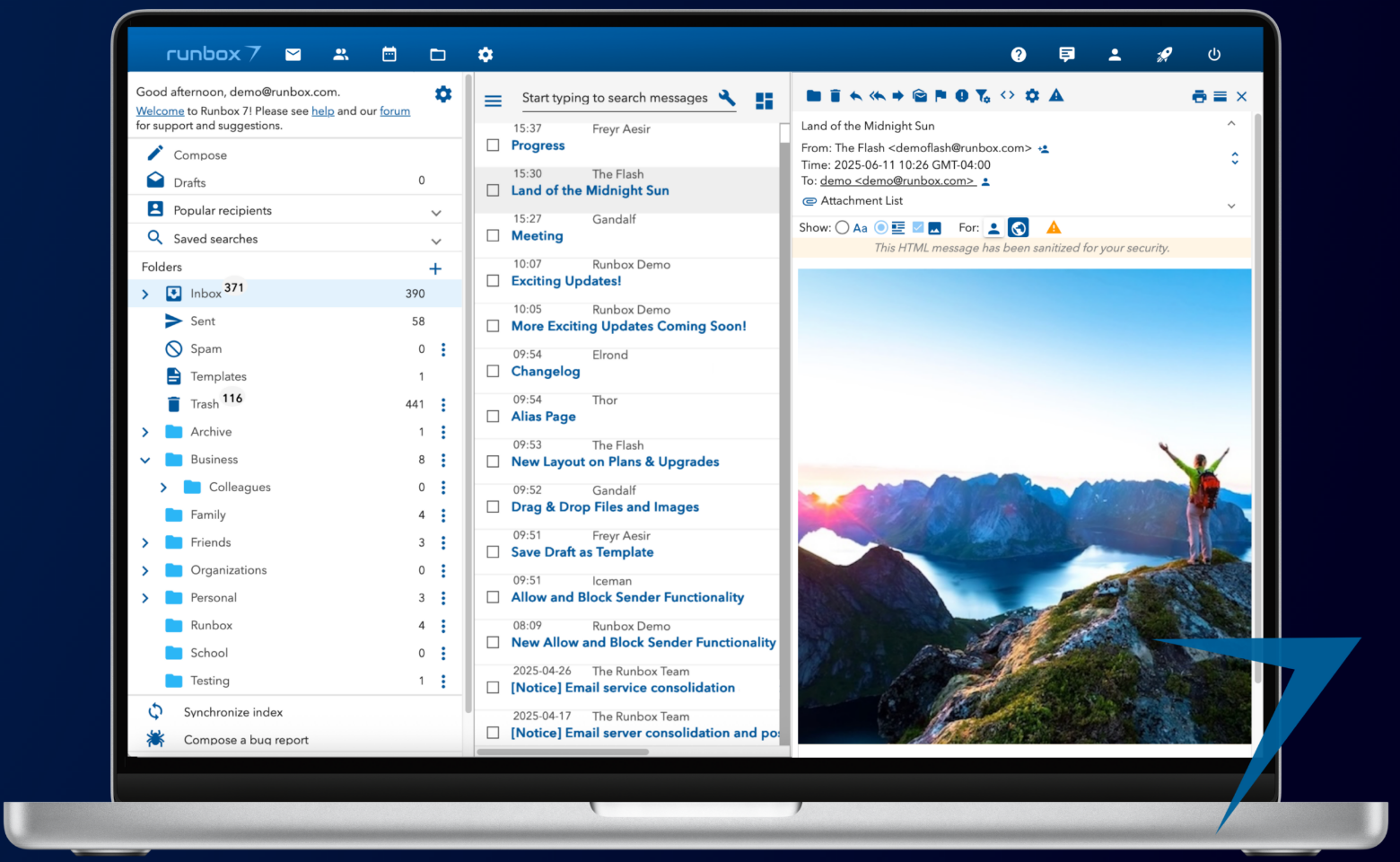
Runbox's pricing page lists Micro at €19.95 per year with 2 GB of mail storage and one domain, Mini at €34.95 with 10 GB and five domains, and Max at €79.95 with 50 GB and 25 domains, billed annually per main account rather than per user. It also offers a 30-day free trial without a credit card. Those are euro prices, so this comparison doesn't assert a converted US list price. The features page confirms IMAP, POP and SMTP support, which helps teams keep their existing desktop mail applications. Its domain hosting, aliases and import tools make it appealing to people moving away from advertising-supported inboxes without rebuilding their entire workflow.
A migration starts with the domain and mailbox inventory. Confirm every address and alias, import a copy of your archive and test delivery before changing MX records permanently. If staff use PGP, decide whether keys live in Thunderbird or another managed client, then document backups and recovery. Private mail hosting isn't a substitute for an organization-wide encryption policy. A provider can protect the hosted service while your team remains responsible for the keys used to encrypt sensitive content.
Runbox's features page lists 100 aliases on Runbox domains and unlimited aliases on your own domain, CalDAV calendar sync, two-factor authentication and encryption at rest on its servers. It also says it requires a Norwegian court order before handing over data. Test the exact clients your staff use for calendar and contact sync.
Choose Runbox if your priority is private, portable hosting and you have a separate plan for message-level encryption. Skip it when you need automatic end-to-end encryption by default or centrally managed employee lifecycle controls. The real comparison is between different security models, not between one universally safe provider and another unsafe one.
- Starting price
- €19.95/year Micro (euro, billed annually)
- Primary fit
- Portable private mail hosting
- Price reference
- €19.95/year Micro (euro, billed annually)
- Migration test
- External reply, DNS and recovery
What does secure email actually protect?
Secure email protects different stages of communication, and no provider eliminates every threat. Transport encryption protects a message while systems exchange it, encrypted storage limits access to saved mail and end-to-end encryption protects content from intermediaries when sender and recipient use it correctly. Your decision should identify which boundary matters for each message type.
An external recipient changes the risk. Proton documents that ordinary messages sent to a non-Proton provider aren't automatically end-to-end encrypted at the destination. Mailfence provides OpenPGP and password-protected messages, while Runbox leaves message-level encryption to a compatible client. A vendor's lock icon isn't proof that a recipient's provider can't read the message. Demonstrate the actual send and reply sequence.
- 1Sender deviceBreaks when the laptop or phone is compromised, because encryption doesn't protect a message that's decrypted on screen.
- 2Your mailbox
- Tuta Mail
- Proton Mail
- Mailfence
- Runbox
Breaks when someone takes over the account or the keys are lost. Zero-access or client-side encryption limits what the provider can read at rest. - 3External recipient
- StartMail
- mailbox.org
Breaks when the recipient's provider can read the message. Password-protected mail or OpenPGP is the usual fix. - 4Domain recordsBreaks when SPF, DKIM or DMARC are wrong, so mail is rejected or spoofed. They never hide content.
A realistic pilot follows one confidential message through all four stages and records where each provider's protection ends.
Encryption also has a human side, and it's the part most pilots skip. A forgotten private key can make an archive inaccessible, while a shared password sent through the same email thread defeats the intended separation. Staff shouldn't have to guess when a protected message is required or how to verify a recipient's identity. Write that procedure down rather than relying on the most technical employee to explain it each time.
How should a small business evaluate secure email?
A small business shouldn't evaluate secure email without a real domain migration, a protected external message and an employee departure scenario. These tests expose DNS mistakes, broken mail-client workflows and recovery gaps that a generic feature matrix can't show.
Map message types
Classify routine customer mail, sensitive attachments and regulated records. Identify who must access each type.
Test an external recipient
Send protected mail to a different provider. Document the recipient's opening and reply process.
Pilot mail clients
Check desktop and mobile access, aliases, calendar invitations, attachments and archive search.
Prepare DNS and recovery
Create target addresses before changing MX. Verify SPF, DKIM and DMARC, then test recovery.
Approve the subscription
Confirm currency, billing term, seats and add-ons at checkout before the production cutover.
Use a temporary domain or low-risk mailbox for the first pilot. Keep the old mailbox available until both inbound and outbound delivery are verified, and record who can reverse the DNS change. If the provider offers an import tool, check whether it preserves folders, timestamps and attachments. A migration isn't complete merely because the new inbox opens.
The VPN service comparison covers a separate privacy layer. Our VPN visibility guide explains why a VPN doesn't make an ordinary email end-to-end encrypted. Keep network privacy, mailbox security and domain authentication as distinct controls.
Which domain checks matter during a secure email migration?
Domain checks matter because a secure inbox still depends on correct routing and sender authentication. Verify MX records for delivery, SPF for authorized sending systems, DKIM for message signatures and DMARC for domain-level handling. Then monitor changes after the migration instead of assuming the records will remain correct.
- Inventory every mailbox and alias
- Create target addresses before MX changes
- Verify SPF for approved senders
- Check DKIM on real outgoing messages
- Review the DMARC policy and reports
- Test outside replies and attachments
- Document rollback and recovery owners
- Watch DNS changes after cutover
For a small team, the most important test is often ownership. Someone must know which service is allowed to send invoices, who can edit the domain's DNS and where a previous configuration is stored. A read-only DNS change monitor can help surface unexpected changes, but it doesn't send encrypted email or repair a broken record. Confirm the current scope and subscription before using any monitoring product as a control.
How do you compare the total cost of private email?
Private email cost includes the subscription, migration effort, training and any tools required to preserve existing workflows. A low advertised mailbox price can be misleading if the team must add a separate archive, replace a mail client or pay for a new collaboration system.
It's tempting to compare sticker prices, but they don't capture migration effort, and you'll feel that cost first. Start with the visible plan, then list all addresses, users, domains and required client connections. Check the renewal term rather than multiplying a promotional monthly equivalent indefinitely. For a US organization, don't treat euro list prices as dollars. Ask for the actual checkout currency and whether taxes or business invoicing change the amount.
The larger cost is often operational. A service with built-in encrypted clients may reduce key-management work but require users to abandon a familiar application. A standards-based host may preserve those applications while leaving message encryption to staff. Neither's universally cheaper. Estimate the cost of the workflow you'll actually run, using the renewal price rather than the introductory one.
Which secure email provider is safest for external recipients?
The safest secure email provider for an external recipient is the one that provides a protected message workflow the recipient can use correctly. End-to-end encryption between accounts on the same service is valuable, but many businesses send sensitive mail to customers who use unrelated providers.
Among the six, StartMail describes password-protected messages for recipients who don't use encryption, Mailfence and mailbox.org support OpenPGP, and Runbox leaves it to your own client. Don't assume the recipient's provider will cooperate; it won't unless you've tested the flow. Test password-protected messages and OpenPGP exchanges with real recipients. Confirm how passwords are shared, whether replies remain protected and how an expired or lost access link is handled. If your recipient can't complete the process, your organization needs another approved channel rather than a policy that exists only on paper.
A team also needs to distinguish sender authentication from confidentiality. SPF, DKIM and DMARC help receiving systems assess whether a domain is authorized to send, but they don't make message content confidential. Conversely, an encrypted attachment doesn't prove the apparent sender is trustworthy. Good mail security combines both.
Frequently asked questions about secure email providers
Secure email questions often confuse private hosting with end-to-end encryption. These answers clarify the boundary and help buyers avoid incompatible clients or unrealistic protection claims.
Which secure email provider is best for beginners?
Proton Mail is a practical starting point because it offers an encrypted default inbox, but external recipients still need a protected-send method for end-to-end encryption.
Does secure email encrypt every message end to end?
No. The protection depends on the provider and recipient workflow. Ordinary messages sent to an outside provider may rely on transport encryption instead.
Can I keep using Outlook or Thunderbird?
Some services support conventional clients. StartMail, Runbox and Mailfence (Entry plan and above) support IMAP, and Proton Mail offers its Bridge desktop app for IMAP and SMTP clients. Tuta is built around its own apps, so confirm IMAP needs with the vendor first.
Do I need a custom domain?
A custom domain isn't required for private personal email, but it helps a business keep its address stable when changing hosts.
Is a VPN a substitute for encrypted email?
A VPN protects traffic between your device and its VPN endpoint, but it doesn't automatically encrypt an email for the final recipient.
Which secure email provider should a small team buy?
A small team should choose Proton Mail or Tuta when encrypted correspondence is the main requirement, StartMail when aliases and familiar clients matter, Mailfence when OpenPGP control is central, mailbox.org for a private office and Runbox for standards-based hosting. Each recommendation is conditional on the workflow and the recipient.
Make the decision with a short pilot and a written list of non-negotiable requirements. The security lead who can show how a message is sent, recovered and handed over has stronger evidence than a spreadsheet of vague feature claims.
If a provider can't pass your external-recipient test, it isn't the right fit, however strong its encryption sounds. Name a second owner who didn't set the account up, so that recovery isn't a single point of failure. That's why we'd pilot before buying: it's cheap, and it'll surface what a feature list can't. Pilot first, buy second.